Themes & accessibility
Make Archevot feel like yours. Pick from eight colour themes, turn on Self-Compassion Mode for gentler language, enable large sticky buttons, and control motion settings.
Choose your colour theme
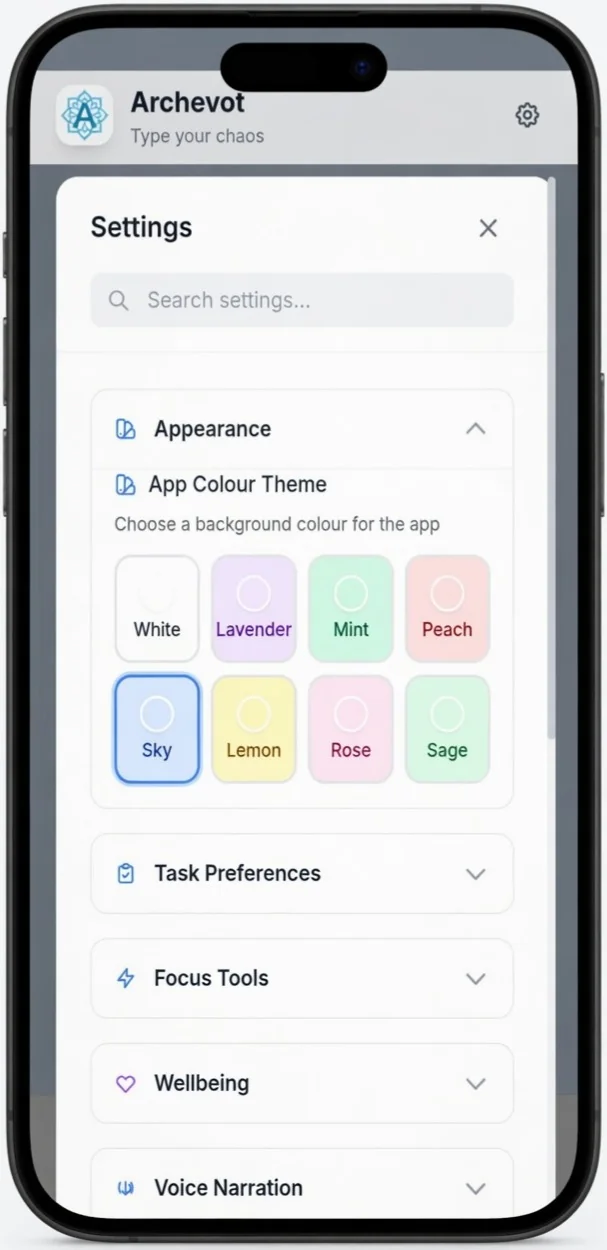
To change the appearance colour of the app, just tap one of the colours from the theme picker, the whole app will update to match it instantly.
Pick your main app colour
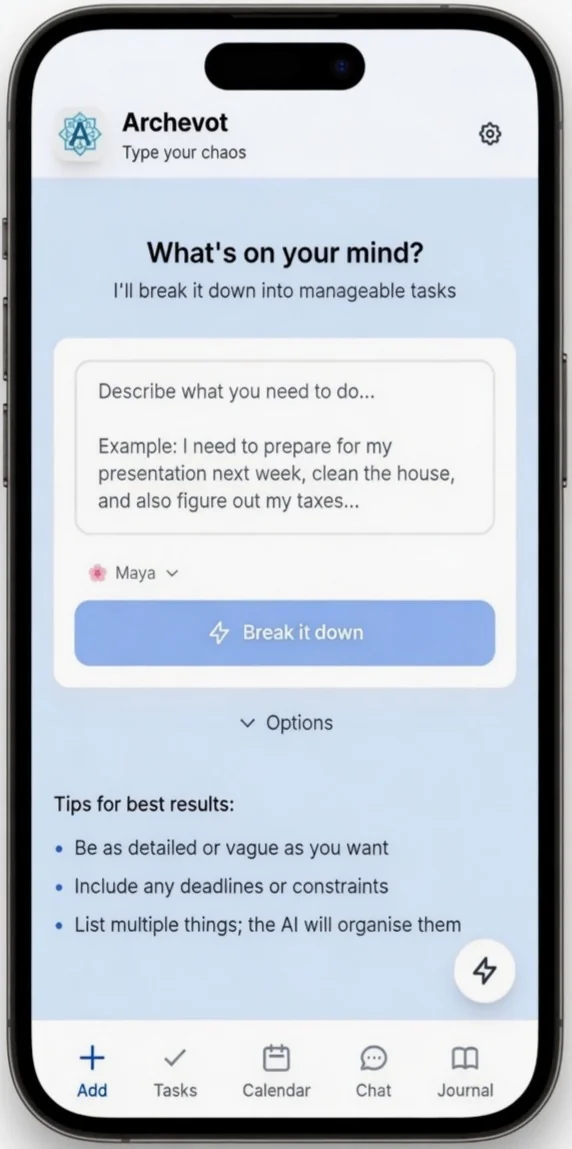
This will change the main colour of your app to whatever colour you wish.
Overwhelm Check-In and Self-Compassion Mode
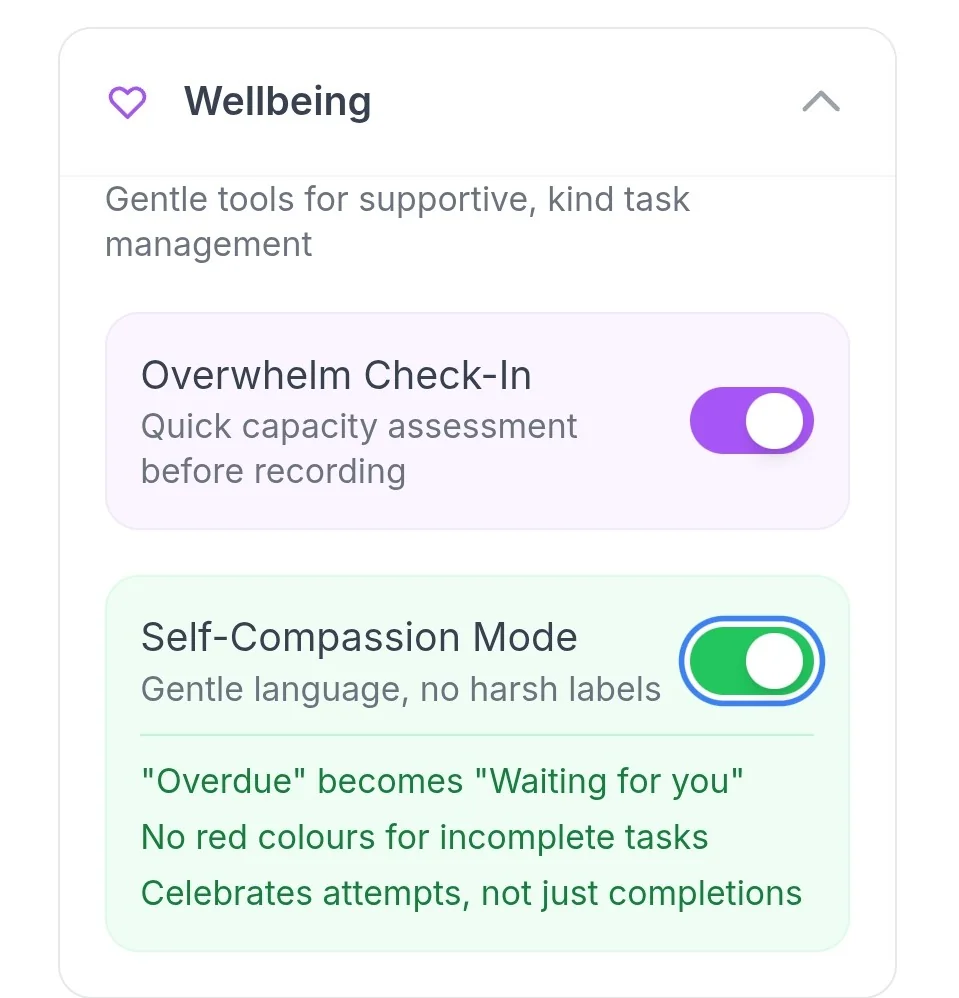
If you want to use the Overwhelm Check-In or Self-Compassion Mode, just tap the toggle buttons to switch them on.
Self-Compassion Mode pairs really well with Good Enough Mode on low-energy days.
Enable voice narration
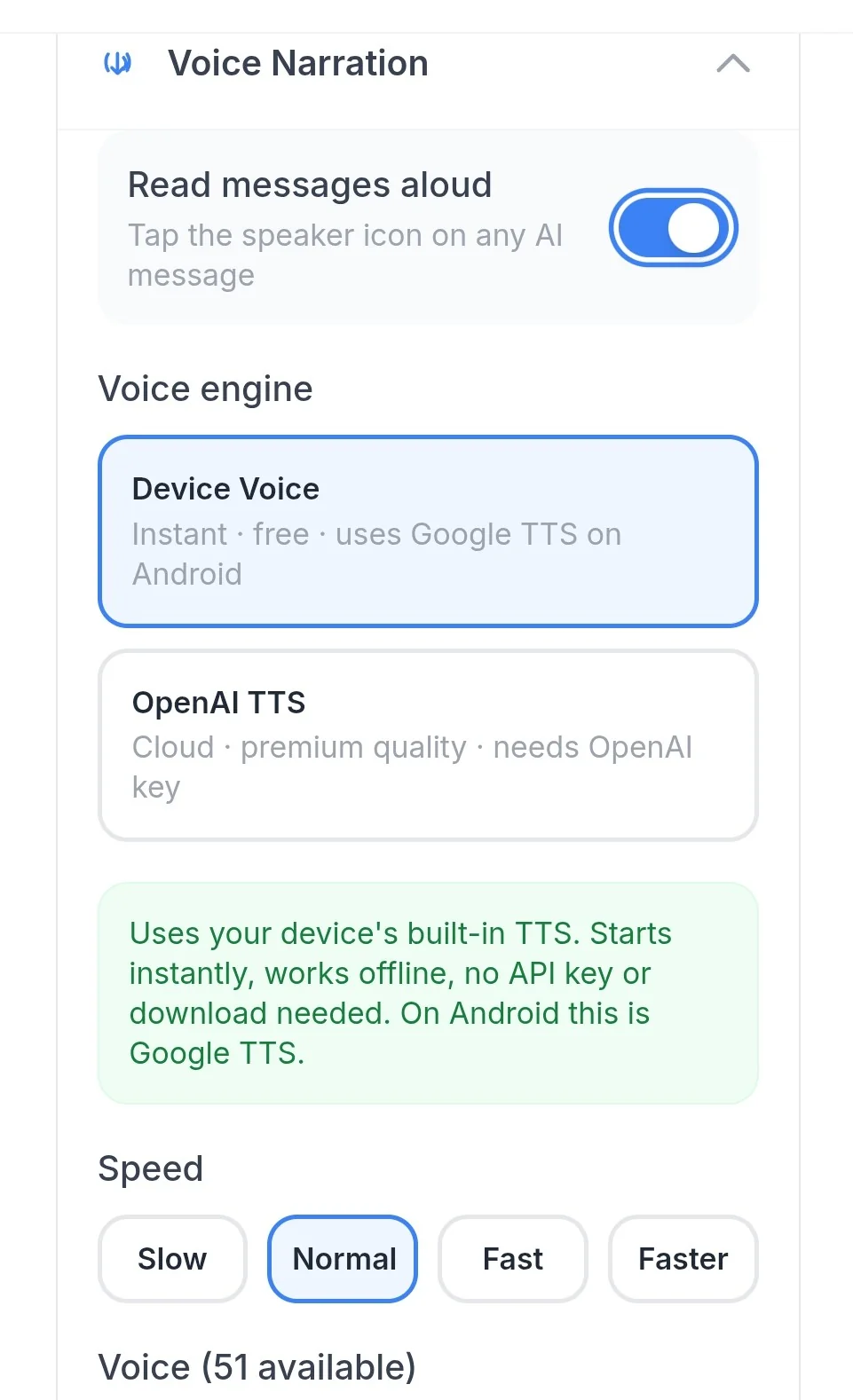
To enable voice narration, simply toggle the Read messages aloud button on.
Choose your voice and speed
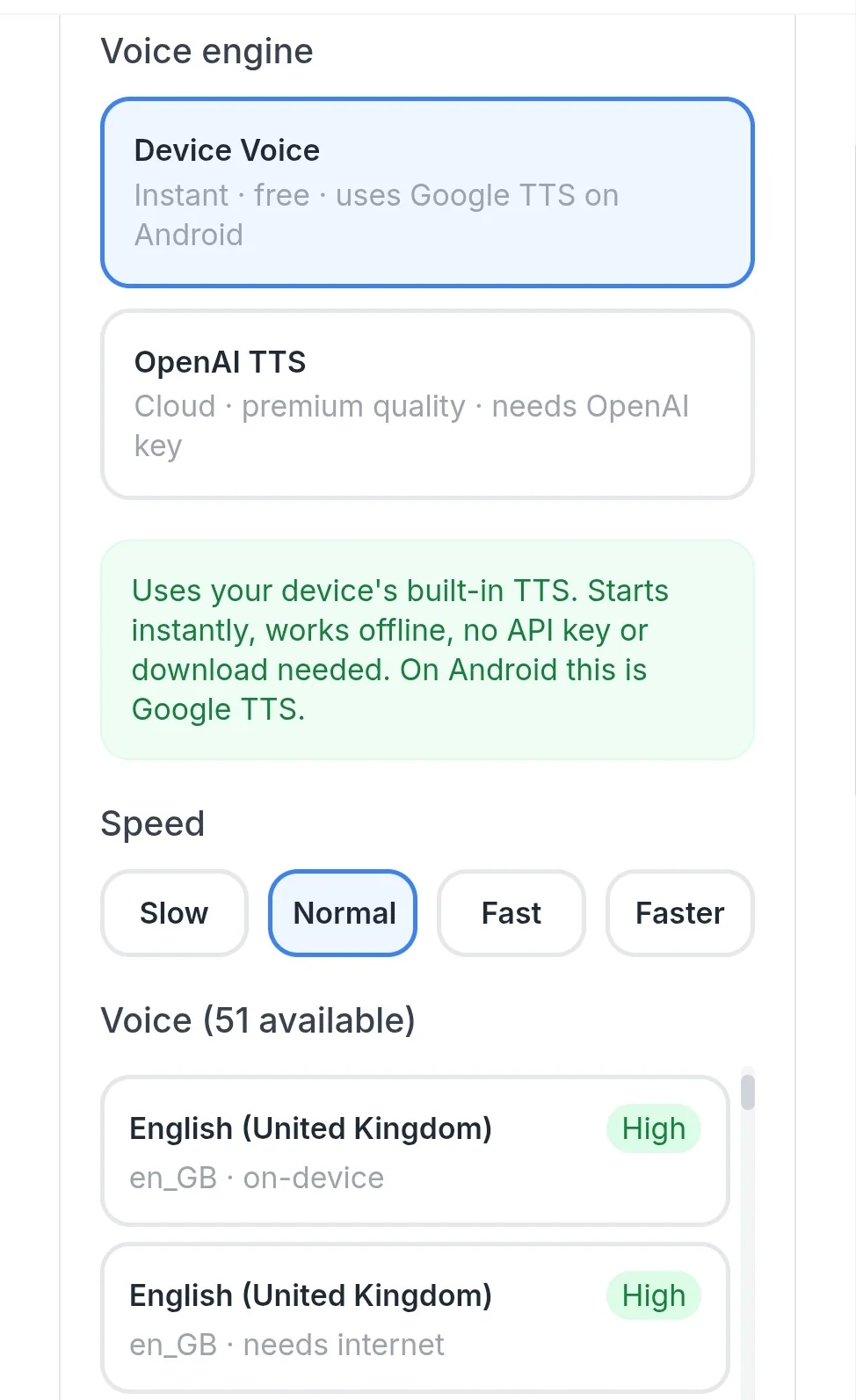
You can pick from two voice options:
- Device voice, gives you a choice of up to 51 available voices. Some may sound a little robotic, but several sound surprisingly good and human-like.
- OpenAI TTS, a premium, very high-quality voice engine from OpenAI. To use this option, you'll need to have an OpenAI API key connected.
You can also choose your preferred speech speed, Slow, Normal, Fast, or Faster.