Using the journal
The journal is a quiet place to write freely. Entries are stored on your device, fully searchable, and easy to export. No streaks, no guilt, just a space to think.
Open the journal
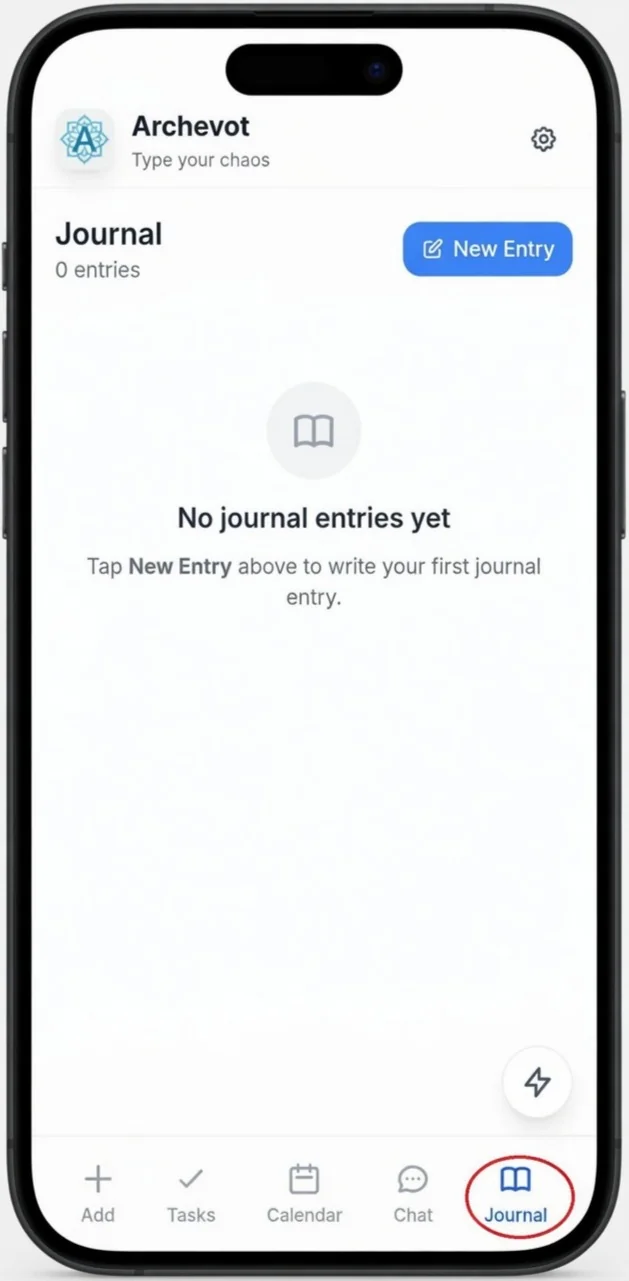
To access the journal, tap the Journal tab at the bottom right of the app. Then, to start a new entry, tap the New Entry button at the top right.
This is version 2 of Archevot, the Journal icon is now on the front of the app, and the More features have moved into the Settings. In version 1, these lived behind the More hamburger menu.
Write an entry

To add an entry, just type into the text box and tap Save Entry. Your journal entries will automatically appear as a list, and you can download them to your phone whenever you'd like to keep a copy.
Stuck? Try "Right now I'm noticing…" or "The thing I'd rather not write about is…". First sentences are harder than the rest.
Manage your entries
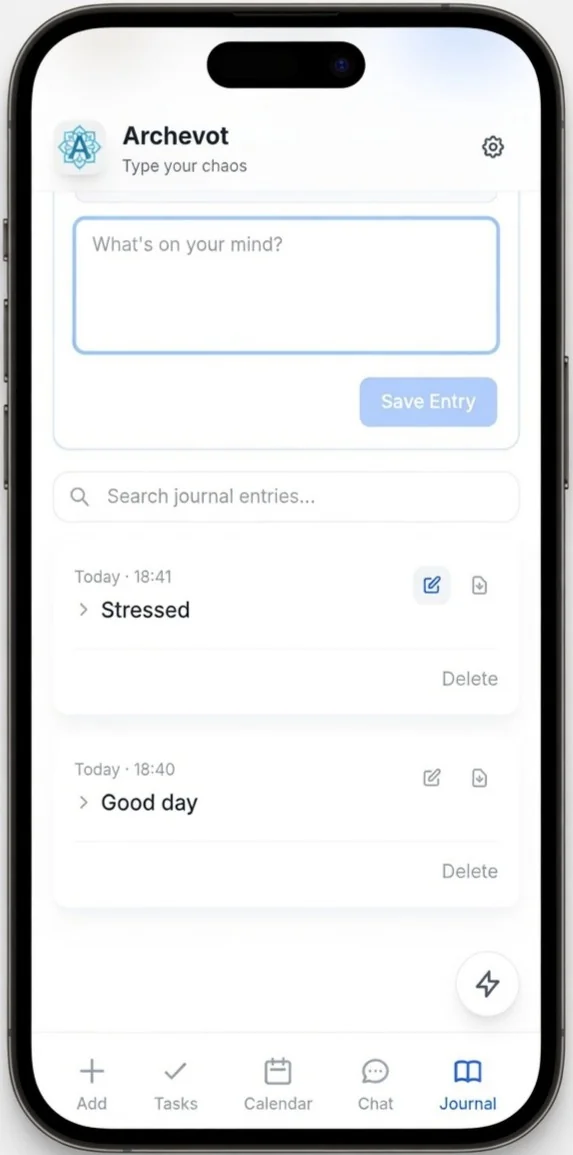
All journal entries are saved automatically as you write. You can edit them at any time, or download them to your phone to keep your own copy.