Chatting with the AI guides
Archevot's Chat feature gives you six therapeutic AI personas, each grounded in a different framework. Pick one that fits your mood and talk it through, or switch mid-conversation if your needs change.
Open the chat
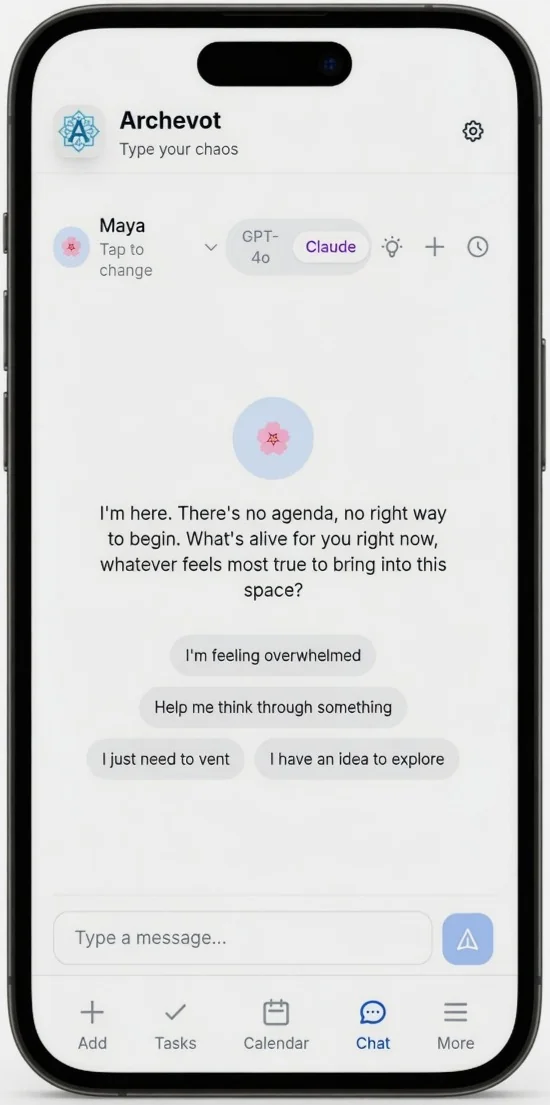
Click the Chat button in the bottom menu to open the conversation with your AI guide.
Pick a persona that matches your mood
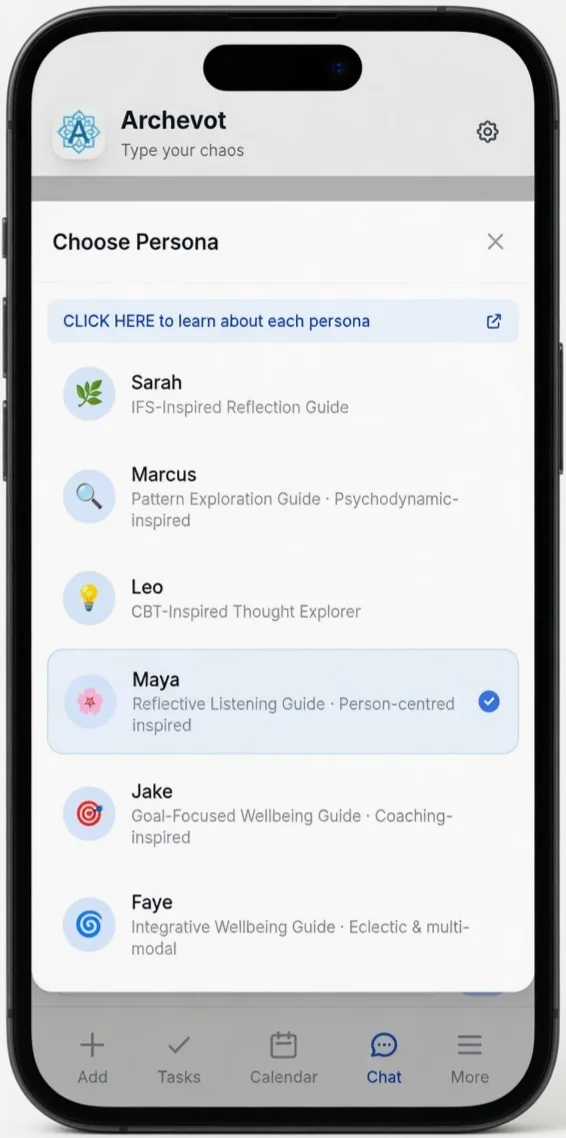
Click the Persona tab to access the six different personas. Each unique persona has its own modality. For more information about each persona, just tap the click here button at the top and it will take you to the personas page, where you can read about every persona and what each one does.
Start a conversation
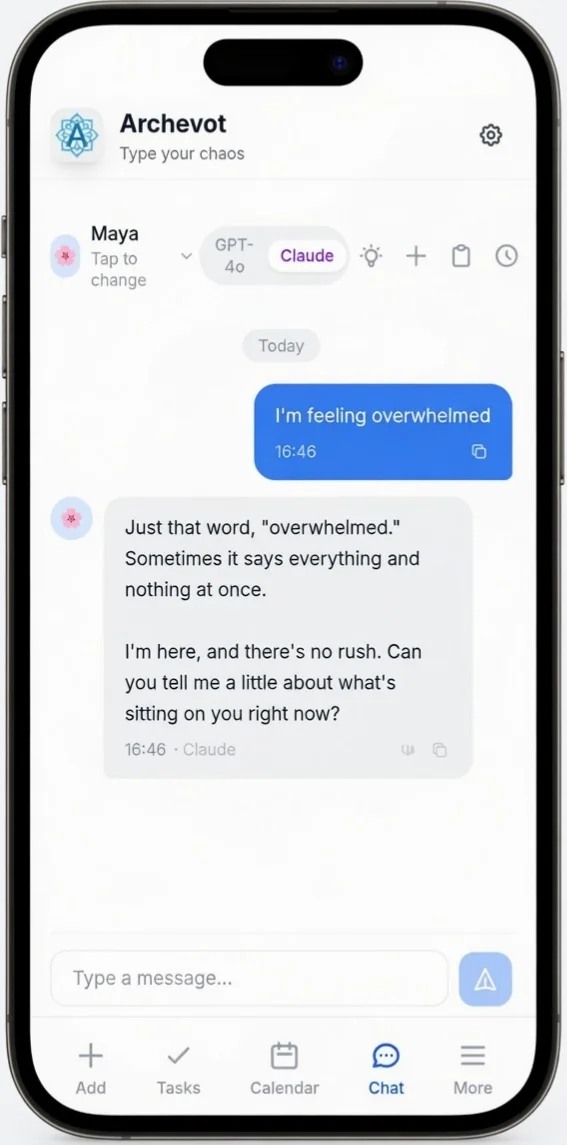
Type your message into the box at the bottom of the app and choose the AI you'd like to use, either GPT-4o or Claude. You can also switch the AI mid-session whenever you like.
Listen to or copy the chat
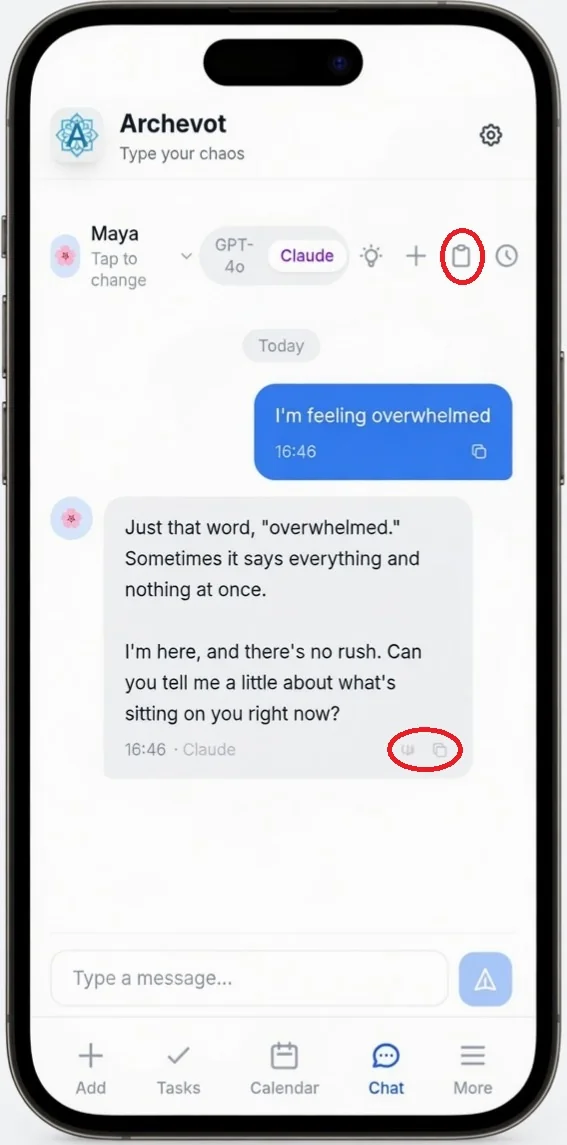
If you'd like to listen to the chat, tap the first circle next to the message. To copy a single message, tap the copy icon next to the listen icon. To copy the whole chat, tap the keyboard icon at the top of the screen. If you want to start a new chat, tap the ➕ add button at the top of the app.
Sometimes you want Maya first to feel heard, then Jake to make a plan. Switching is fine, no persona expects to be the only one. Faye is also a great choice for general chat and can be used eclectically, as she has been trained across all modalities.
Review past chats

If you want to access your chat history, tap the 🕒 clock icon at the top of the app.

From here you can see all of your past conversations in the chat history. All of these conversations are saved locally on your phone, so they stay private to you.
The AI personas are reflective companions, not a replacement for therapy. If you're in crisis, please contact a qualified professional or local emergency services.